Reproducible biological experiments.
Ask questions. Run experiments. Keep models, inputs and results together, ready to inspect, rerun and build on.
Keep the experiment behind every result.
Model versions, inputs, settings and output files give a result its context. Keep them together so the work can be checked and continued.
Boltz-2 affinity lab
Recorded lab snapshot · 4dc05694
Input descriptions
- Protein sequence
- Candidate ligand, supplied as SMILES
Recorded outputs
- Predicted complex · mmCIF file
- Binding probability and confidence metrics
This summary describes the inputs; it does not display the full input record or run settings. The Hub link opens the model.
Recorded confidence metrics
- Confidence
- 0.921
- pTM
- 0.933
- ipTM
- 0.906
- Complex pLDDT
- 0.924
A prediction, not experimental evidence.
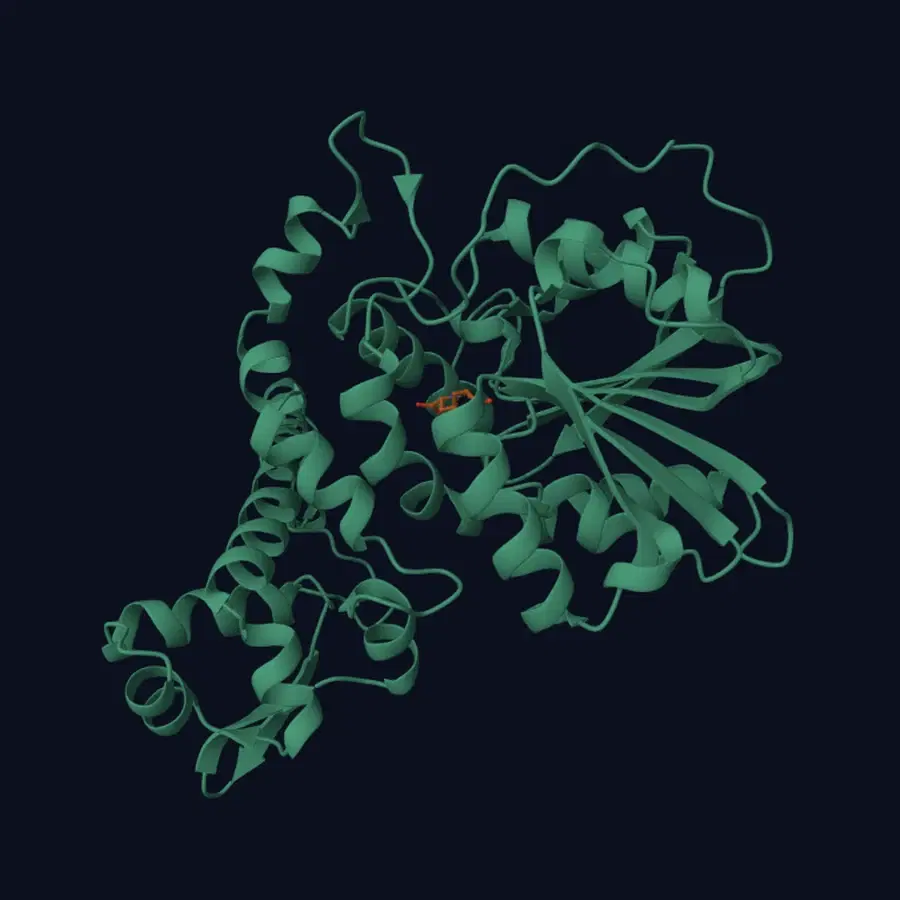 predicted_structure · mmCIF
Inspect what ran.
See the model version, supplied inputs and recorded outputs together. Keep the result’s limitations alongside the evidence.
Rerun the saved setup.
Return to the recorded configuration and compare outcomes. A repeatable setup helps you investigate differences between runs.
Build on previous work.
Revisit a comparison, add another candidate or hand the experiment to a collaborator with access to the saved work.
Watch one run, start to finish.
Seventy-five seconds, no narration: an agent connects, prepares a Boltz-2 affinity prediction, waits for approval, and hands back a result you can open and check.
What happens in the recording
- The agent connects to the Biosimulant MCP server and finds it already signed in.
- It prepares a Boltz-2 run from the bundled example and reports the settings, GPU and cost before anything executes.
- The run waits on an explicit approval bound to that exact plan.
- Results come back with a binding probability and affinity score, checked against the run's own checksums.
- Studio opens the lab with its inputs, log, Evidence Passport and the predicted protein-ligand complex.
Pick up where the experiment left off.
The session ended. The experiment stayed available for another person and agent to inspect and extend.
Predictions saved
Three candidates compared against FKBP1A, with requests, responses and structures retained.
A fresh agent picks up
A new Codex agent retrieved the remote experiment through Biosimulant and reused the three saved predictions.
The comparison grows
One new NVIDIA Boltz-2 prediction added pimecrolimus, bringing the comparison to four candidates.
Start with a biology question.
Bring your question to Biosimulant Chat. Find models, review the setup and explore results, with your work saved together.
- 1
Ask a questions / Describe your investigation
Find answers in public biology databases, explore models on the Hub, or work on a model of your own, all in plain language.
- 2
Review the setup.
Inspect the chosen model, inputs and run settings before approving execution.
- 3
Return to the work.
Explore the outputs and continue from the saved experiment. Sign in to keep your work with your account.
Start a guest chat in your browser. Sign in to sync work to your account; guest chat stays in this browser for 30 days.
Open Biosimulant Chat (opens in a new tab)Prefer to use an external agent? Connect Claude/Codex to inspect and continue work in Biosimulant.
This is where the work ends up.
Every lab you build and every run you start stays in Studio. These are screenshots of the real thing.
Your labs are all in one list.
Drafts and published labs sit together. Each row shows the version, how many models it is built from, and when you last touched it. A lab stays private until you decide to publish it.
staging-studio.internal.biosimulant.com/labs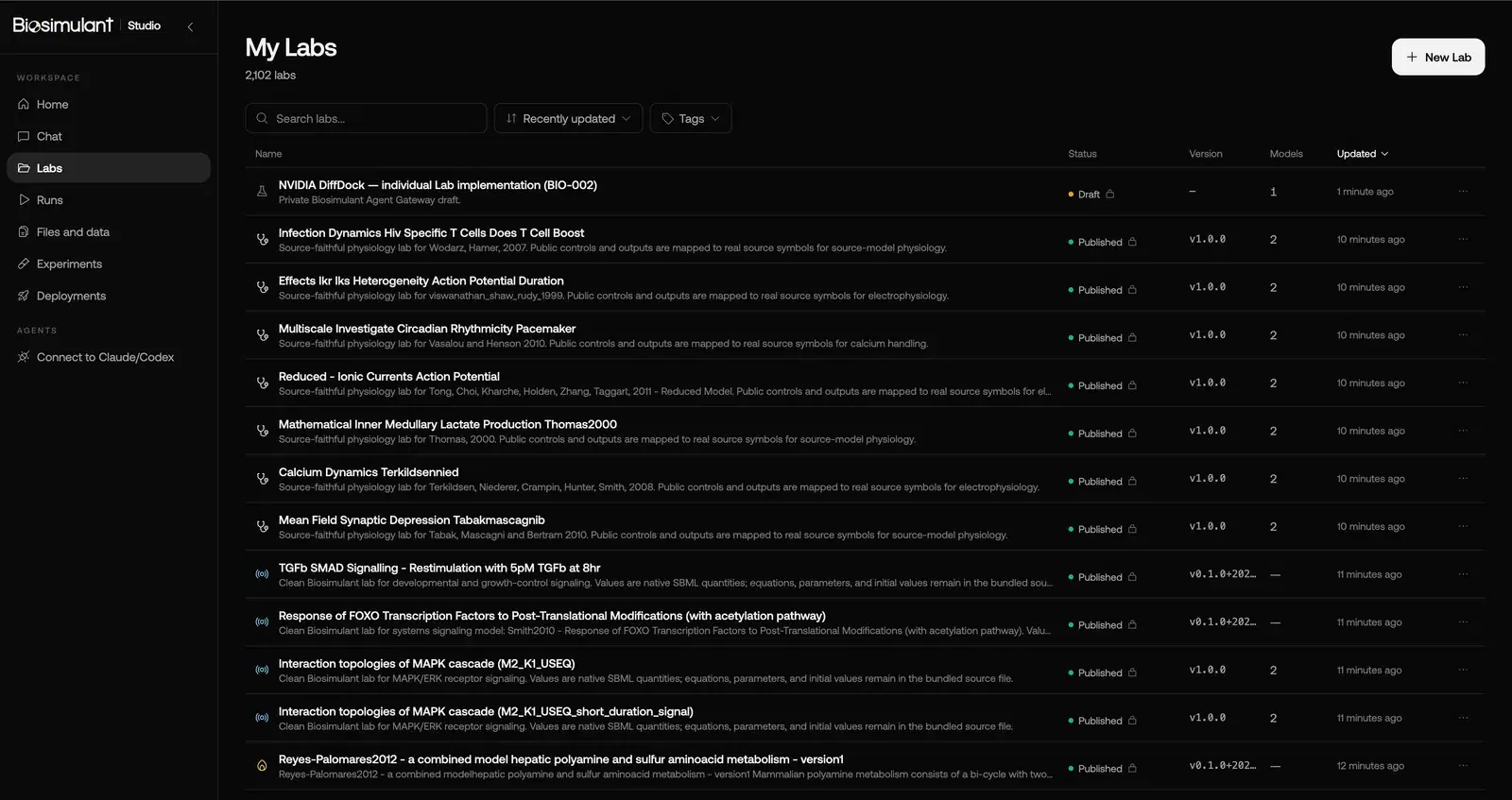
Runs do not disappear when the chat does.
Status, how long it took, where it ran. Failed runs stay in the list too, and those are usually the ones you need to go back to.
staging-studio.internal.biosimulant.com/runs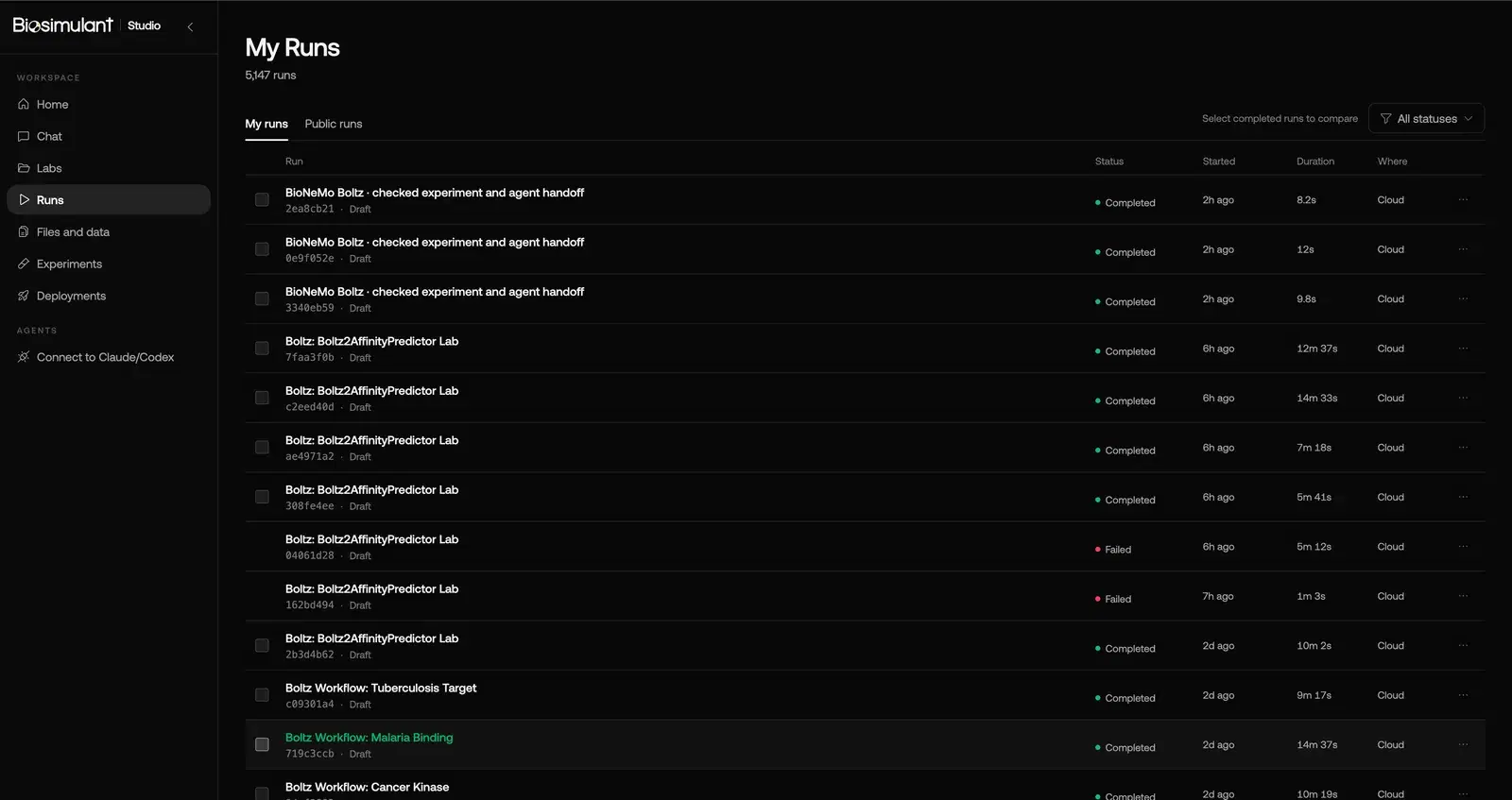
One finished run, opened up.
A Boltz-2 affinity prediction, through the tabs the run page actually has.
The numbers, and the structure they came from.
Affinity and binding probability at the top, then the predicted complex drawn from the run's own mmCIF file. Down the side: how long it took, what it ran on, and whether anyone has reviewed the Evidence Passport yet.
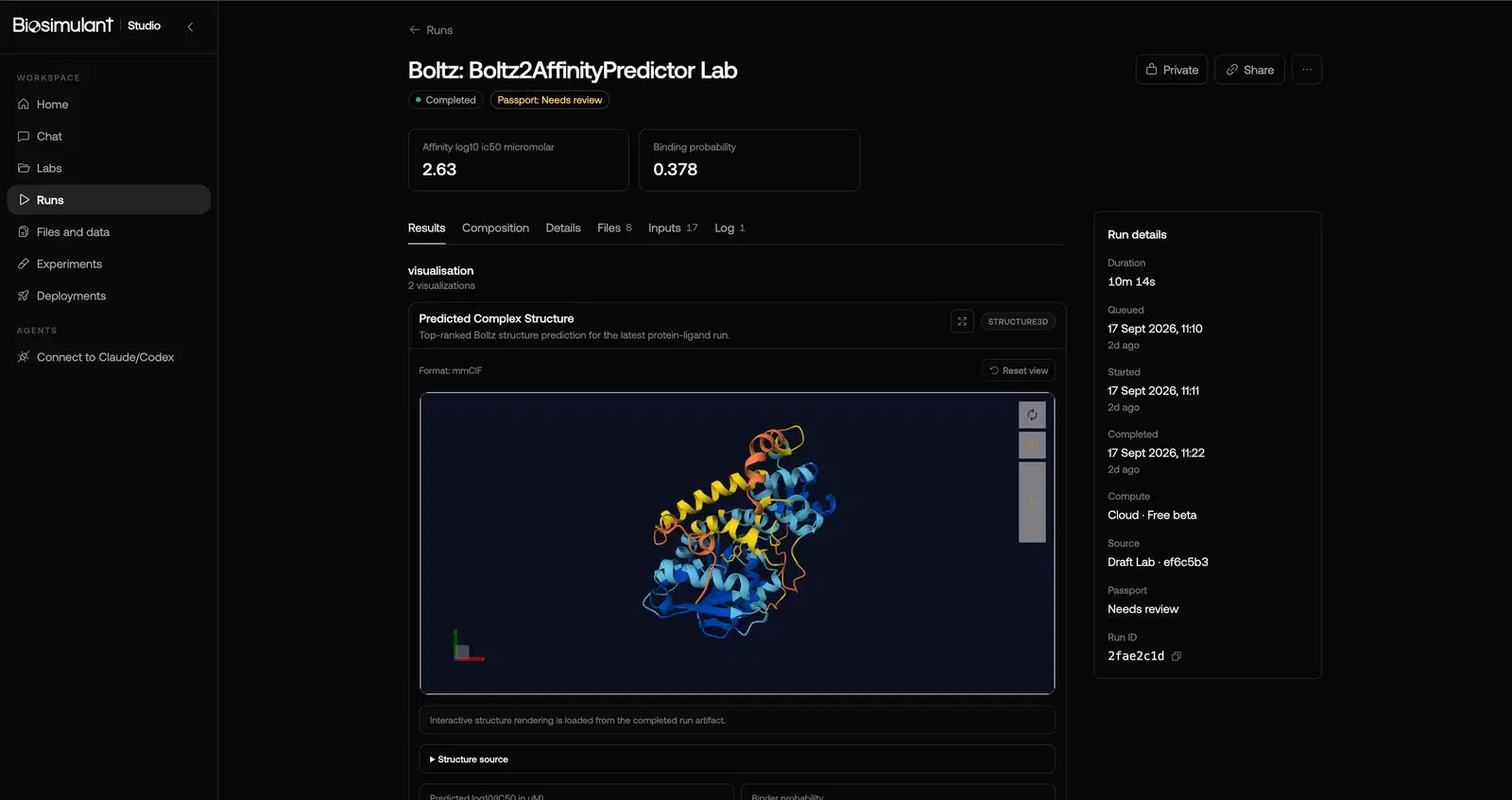
Screenshots of Biosimulant Studio, captured 20 September 2026.
Research models you can explore.
Published models for molecular prediction, docking, circulation and cell signaling. Inspect each Lab, then open it in Studio to configure a run.
Model schematic · not run output
Structural biology · Boltz-2
Explore protein–ligand structure and affinity
Boltz-2 predicts a protein–ligand complex and affinity-related outputs, together with confidence metrics and caveats.
Model schematic · not run output
Molecular docking · DiffDock-L
Explore where a ligand could bind
Supply a protein structure and a ligand. DiffDock-L generates candidate docking poses and confidence scores for inspection; those scores do not measure binding affinity.
Model schematic · not run output
Cardiovascular physiology · Heldt 2002
Explore how heart function changes circulation
Change heart rate or ventricular elastance in the Heldt circulation Lab and inspect modeled cardiac output and mean arterial pressure.
Model schematic · not run output
Cell signaling · Kholodenko 1999
Explore the dynamics of EGFR signaling
Vary initial receptor-complex levels in the published EGFR signaling model. Follow EGF, EGFR and their complex over time using the source SBML quantities.
Built around a record you can inspect.
Versioned models, recorded execution and declared compatibility checks make the work easier to revisit. The documentation explains what each layer records and checks.
- Versioned model releases identify the setup used for a run. Repeat that setup and compare outcomes; stochastic models can produce different results.
- Run records retain inputs, outputs and logs, so you can inspect the work after the session ends.
- Compatibility checks assess declared interfaces and flag unsupported connections. Their scope depends on the model’s contract; passing a check does not establish biological validity.
Start an experiment you can come back to.
Begin in Biosimulant Chat or connect your agent. Keep the setup, results and context together as your investigation develops.